BS-EMS : cloud management of fiber OLTs for operators in 2026

Contents
Managing 10, 100 or 1000 fiber OLTs spread across a territory without a centralized tool is impossible : configuration repeated manually, fragmented supervision, no consistency. Major operators solved the problem with proprietary EMS (Huawei iMaster-NCE, ZTE NetNumen, Nokia NSP). For POL integrators, RIPs and alternative operators, the solution is called BS-EMS.
This guide explains what BS-EMS (Browser-Server Element Management System) is, its advantages over the older CS-EMS generation, its three functional pillars (management, analytics, security), and how to deploy it to supervise a fleet of fiber OLTs.
What is BS-EMS ?
BS-EMS (Browser-Server Element Management System) is a centralized management software for fiber OLTs, designed around a browser-client ↔ web-server architecture :
- Client : a simple web browser (Chrome, Firefox, Safari)
- Server : application deployed on-premise or in the cloud
- Connection to OLTs : dedicated TCP tunnel (or TR-069/NETCONF)
It handles the registration, configuration, supervision and updating of GPON/EPON OLTs. Five functional pillars :
- Faults : fault and alarm management
- Configuration : provisioning of services and profiles
- Accounting : accounting of resources and traffic
- Performance : real-time metrics monitoring
- Security : rights management, logs, encryption
These five pillars correspond to the FCAPS standard (Fault, Configuration, Accounting, Performance, Security) of the TMN (Telecommunications Management Network) model.
BS-EMS features
Compared to older EMS based on thick clients (CS-EMS), BS-EMS brings :
- Web architecture : no client to install, access from anywhere
- Multi-user : centralized rights management by role and by domain
- Cloud deployment : one-click installation, simplified maintenance
- High availability : master-slave backup, automatic recovery
- REST API : integration into existing OSS/BSS
- Mobile-friendly : supervision from tablet or smartphone
The three functional pillars
1. System and equipment management
Main functions :
- REST API for external integration (ticketing, operator CRM)
- Bulk add, search, inventory of OLTs
- Batch configuration of profiles (VLAN, QoS, PPPoE)
- Firmware update scheduled by batch
- User management with roles and domains
- Audit log of user operations
2. Data collection and analysis
Data management capabilities :
- Equipment performance : throughput, CPU, memory, optical errors
- Traffic statistics : volume per PON port, per VLAN, per ONU
- Online/offline logs : operations, events, alarms
- Advanced alarms : query, export, email/SMS notification, voice alert
- System metrics : server usage, JVM Tomcat permissions
- Automatic backup : scheduled or in master-slave mode
- Graphical dashboards : real-time and historical visualization
3. Security and maintenance
Native security :
- Cloud deployment : one click for remote operators
- Master-slave servers : service continuity in case of failure
- Batch management : mass update and backup
- Decentralized management : several admins with separate scopes
- Syslog monitoring : forwarding to SIEM or email recipients
- Alarm collection and routing according to configurable rules
BS-EMS vs CS-EMS : what's the difference ?
| Criterion | CS-EMS | BS-EMS |
|---|---|---|
| Architecture | Client/Server (thick client) | Browser/Server (thin client) |
| Client installation | Required on each workstation | None (web browser) |
| Cross-platform | Limited (often Windows) | Windows, macOS, Linux, mobile |
| Deployment | On-premise LAN | LAN, WAN, cloud |
| Software update | On each workstation | Centralized server-side |
| Multi-user | Limited | Native, with RBAC |
| API | Rare | Native REST |
| High availability | Rare | Built-in master-slave |
| Geographic scope | Single site | Multi-site, WAN |
For a modern operator or RIP, BS-EMS has become the standard. CS-EMS remains relevant for single-site micro-deployments (5-10 OLTs) where simplicity is paramount.
Who is BS-EMS for ?
1. Alternative operators and RIPs
A regional operator with 50 OLTs spread across several departments needs centralized supervision accessible from anywhere. BS-EMS deployed in the cloud lets the on-call team intervene at 3 a.m. from a smartphone.
2. POL integrators
An integrator managing 10 hotel clients, each with 1-4 OLTs : needs a multi-client view with rights partitioning. BS-EMS with domain-based management lets each client see only their own equipment while benefiting from a shared infrastructure.
3. Local authorities and public high-speed broadband
A Department deploying a RIP must report to Arcep on quality of service. BS-EMS provides the standardized metrics for regulatory reporting and daily supervision.
4. Enterprises with extended POL
An industrial campus with 5-10 OLTs (separate buildings across several hectares) gains efficiency with a centralized BS-EMS. Adding a new building comes down to configuring a new profile in the EMS.
Deploying a BS-EMS
Deployment steps :
- Infrastructure choice : public cloud (AWS, Azure, OVH), private VPS, or on-premise depending on security policy
- Sizing : plan for 2-4 vCPU, 8-16 GB RAM, 100+ GB SSD disk for ~100 OLTs
- Security : HTTPS mandatory (Let's Encrypt or wildcard certificate), VPN access or IP whitelist
- BS-EMS installation : official vendor package or OSS GenieACS/etcetera
- Master-slave configuration : for HA, second instance on a separate site
- OLT registration : EMS URL configured in each OLT, automatic onboarding
- Tests : provisioning of a test ONU, OLT failure simulation, master-slave failover test
- IT team training : 2-3 days to get up to speed
BS-EMS-compatible Elfcam range
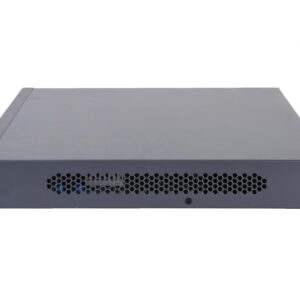
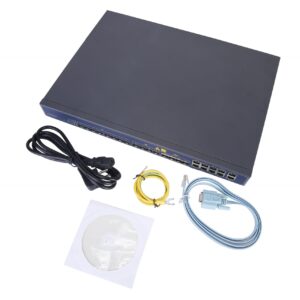
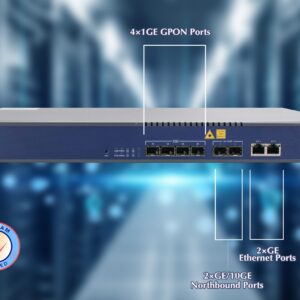
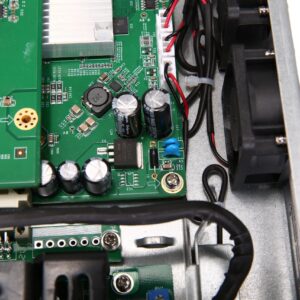
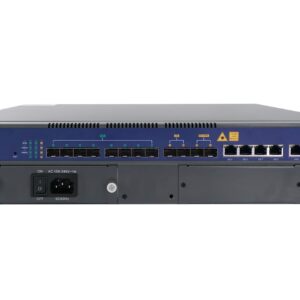
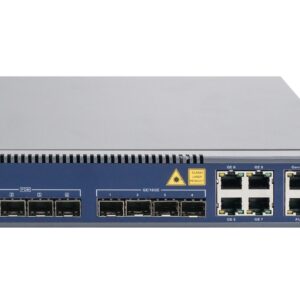
- 16-port GPON OLT — operator, up to 2048 subscribers, managed via BS-EMS
- 8-port GPON OLT — residence, campus, EMS-integrable
- 4-port GPON OLT — hotel POL, manageable via BS-EMS
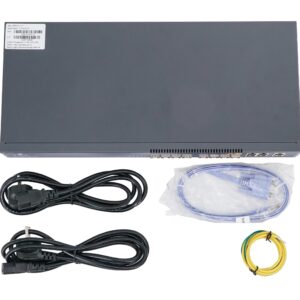
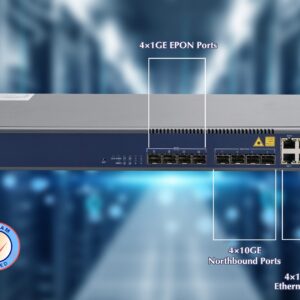
- 4-port EPON OLT — enterprise POL deployment
- WiFi 6 HGU — TR-069-compatible ONUs, complementary to the EMS
- PLC splitters — PON distribution



FAQ — BS-EMS and OLT management
1BS-EMS vs ACS TR-069, are they the same thing ?
- BS-EMS : manages the OLTs on the operator side (infrastructure)
- ACS TR-069 : manages the CPE/ONU on the subscriber side (terminals)
2Which EMS for a small operator ?
- < 5 OLTs : included manufacturer EMS (the OLT's Web UI is enough)
- 5-50 OLTs : manufacturer BS-EMS (Elfcam, V-SOL) or lightweight OSS
- 50-500 OLTs : cloud BS-EMS or commercial solution (Incognito, Axiros)
- > 500 OLTs : pro EMS (Huawei iMaster, Nokia NSP, ZTE NetNumen)
3Can an Elfcam OLT be managed with Huawei iMaster ?
4How do you achieve high availability of a BS-EMS ?
- 2 instances on remote sites (primary + backup)
- Replicated database (MySQL/Postgres master-slave)
- Load balancer with automatic failover (HAProxy, Nginx)
- External monitoring (Zabbix, Prometheus)
5Security : how to protect the BS-EMS ?
- HTTPS mandatory with a valid certificate
- MFA/2FA on all admin accounts
- IP whitelist of authorized sources
- Site-to-site VPN for access from operator sites
- Logs exported to SIEM (Splunk, ELK) for anomaly detection
- Patches for the system and EMS applied within 72h after a CVE is published
6Can the BS-EMS be accessed from a smartphone ?
7Licensing : how are managed OLTs/ONUs counted ?
- Per OLT : X €/month/OLT, including its ONUs
- Per ONU : X €/month/managed ONU
- All-inclusive package : fixed price up to a threshold
- Open-source : free but support optional
In summary
BS-EMS is the essential tool for efficiently managing a fleet of fiber OLTs. Its Browser/Server architecture, cloud deployment and master-slave HA make it the 2026 standard for alternative operators, RIPs, POL integrators and local authorities.
For an Elfcam deployment, combine a 16-port GPON OLT, 8-port OLT or 4-port EPON OLT with the manufacturer's BS-EMS. Complete it with an ACS TR-069 to manage the ONUs on the subscriber side.